
Api
⚠️ Restricted feature
This feature is available for Premium version only
Obscreen provides a REST API to manage content, playlists, screens and more.
Enable Plugin
Core API is a system plugin thus you can enable or disable API in Plugins settings page.
Authentication
Token authentication is used to authenticate requests to the API. You can get a token in the Studio under any registered user in Security page by clicking on eye yellow button.
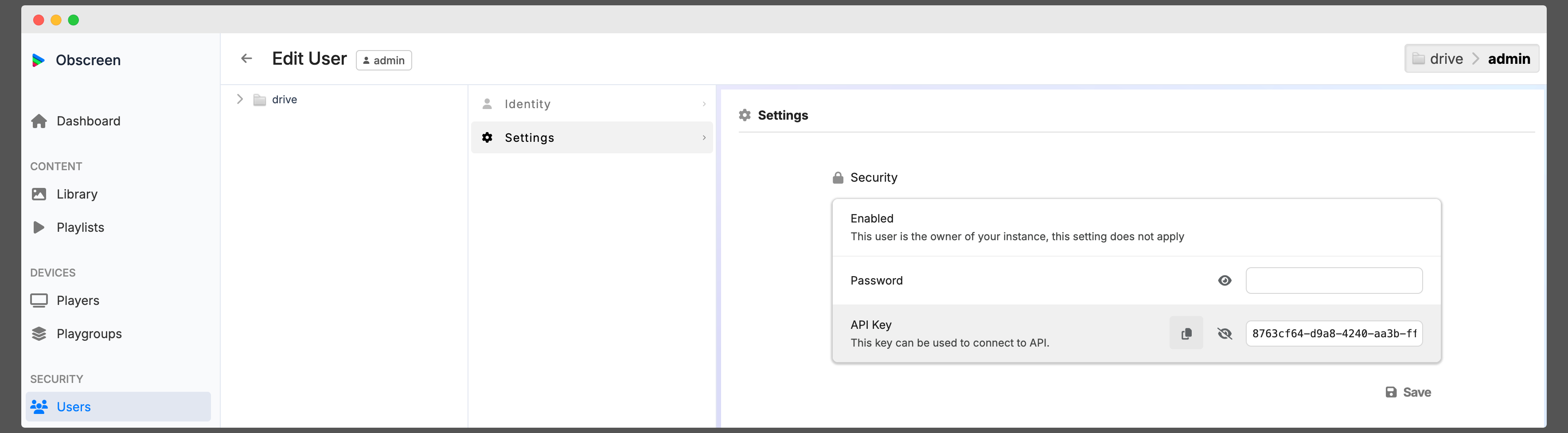
Send the token in the Authorization header of every request, with or without the Bearer prefix:
curl -H "Authorization: Bearer <API_TOKEN>" http://<your-studio-server-instance>/api/playlists/A missing token returns 401, an unknown token returns 403. Requests run with the permissions of the user owning the token.
Endpoints
Swagger documentation is available on the API. You can access it on the following path http://<your-studio-server-instance>/api.
The OpenAPI 2.0 specification is served as JSON on http://<your-studio-server-instance>/swagger.json.
TIP
Use our demo instance to check API endpoints: https://demo.obscreen.io/api.